

We're so excited you're teaching a class with us at Metalwerx! Once your class is listed on the website, the Metalwerx marketing team will start sharing it on the main social media channels and in our email newsletters to our full network and community. It's also vital that you help spread the word to your communities as well! Use the templates and tips below to promote your class on the channels that best suit you.
Social Media Tips
If you have a good social media following of people interested in your work and classes on Facebook, Instagram, TikTok, Bluesky, or another platform, it is a really good idea to announce and share your class multiple times on your page. Post your class at least twice, giving your community at least one month's advance notice of your class, and include details such as:
- Class title
- Class dates
- If the class is VIRTUAL on IN-PERSON
- 2-3 sentences on what you're most excited to teach and what students will make
- The link to your class on the Metalwerx website
- Remember to tag Metalwerx on Facebook (@MetalwerxStudioSchool), Instagram (@MetalwerxStudio), or Bluesky (@MetalwerxStudio) so we can repost!
For Instagram, we recommend you copy and paste the following hashtags at the end of your caption text: #Metalwerx #Metalsmithing #JewelryMaking #JewelryClass #JewelryTips #Metalsmith #HandmadeJewelry #ContemporaryJewelry
On Facebook, if you are a member of any jewelry or metalsmithing groups that allow class promotion, share your class there as well.
We've created two different Metalwerx branded graphics for you to use to promote your class as well. Check out the examples below and then use the links to download your preferred template style and format, drop in your image and class details, and share.
Social Media Graphic 1: Screenshot Hack!
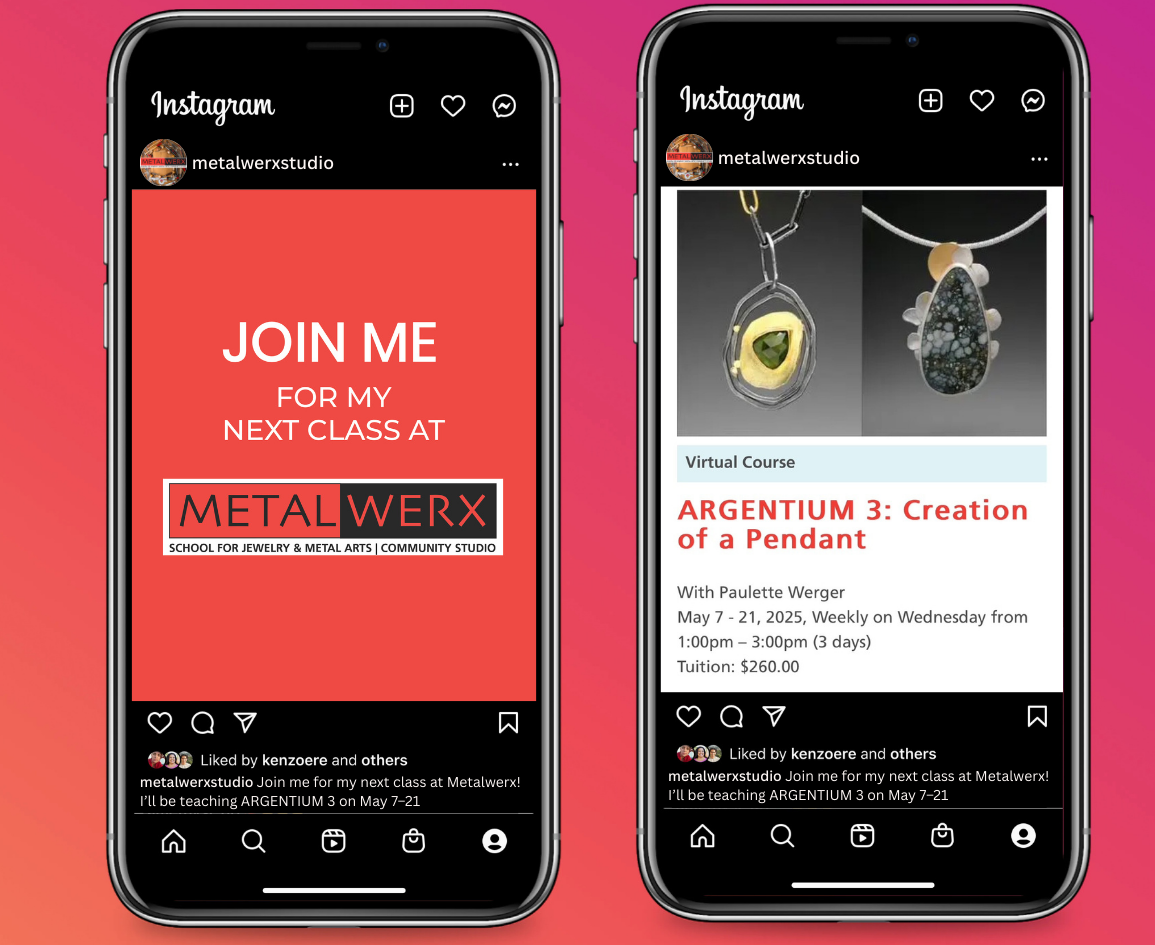
Market your class straight from your cell phone! Follow these simple steps for this easy approach:
- Use the links below to download one of the 'Join Me' graphics to your phone's camera roll.
- From your phone, go to your class listing on the Metalwerx website and take a screen shot, making sure to capture all the course info - image, title, and timing/price details (see the example above!).
- Crop the image to include only the image and class details.
- Save the image to your phone's camera roll or computer. Don't worry about the vertical orientation
When it's time to e-mail your network or make a social media post, just use the 'Join Me' image immediately followed by your course listing screen shot and voila! You're good to go.
→ Download "Join Me" Social Media Graphic - Vertical

→ Download "Join Me" Social Media Graphic - Horizontal

Social Media Graphic 2: Customizable Template

Feeling a little more adventurous and want a clean, finished graphic? Make a customized graphic using Canva or your design app of choice using the following steps:
- To make your graphic with your design application of choice, download the JPG file below.
- Upload the JPG to your design app
- Place your primary photo in the gray photo field
- Use the blank space for text to add your Class Title, Your Name, Dates, and note whether your class is virtual or onsite (See the example above!)
- Save and export your customized graphic!
- To make your graphic in Canva, you must have or create a Canva account (free account options are available) and then follow this link to our pre-made template: https://www.canva.com/design
- Upload the primary photo that best represents this class and drag and drop it into the picture placeholder.
- Use the editable text fields to add your Class Title, Name, Dates, and note whether your class is virtual or onsite.
- Click the Share button in the upper right corner and then click on "Download" to download your graphic into your preferred file type.
→ Download the Blank Customizable Social Media Graphic (JPG File)

Email & E-Newsletter Tips
If you send out a regular email newsletter or have a good list of email subscribers from your website, shop, or community, announcing and sharing your class via email is a great idea! As soon as your class has been listed on the Metalwerx website, send an announcement out via email with the same essential information as social media:
- Class title
- Class dates
- If the class is VIRTUAL on IN-PERSON
- 2-3 sentences on what you will be teaching and what students will learn or make in the class
- The link to the class on the Metalwerx website
- Include at least one finished work image - people respond to visuals!
Remember that most emails have a 30%–50% open rate meaning at least half of your recipients might not open your first email. Send a follow-up email or resend your announcement 1-2 weeks after the first email.